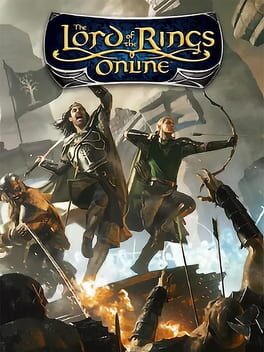
Much of the gameplay is typical of the MMO format: The player controls a character avatar which can be moved around the game world and interacts with other players, non-player (computer-controlled) characters (or "NPCs") and other entities in the virtual world. Camera angles can be switched between first-person and third-person options. Characters are improved by gaining levels. A character's level increases after it earns a set amount of experience points through the player versus environment (or "PvE") combat and storyline adventures. Characters' abilities are improved by increasing in level, but character skills must be purchased from specified NPCs after gaining a new level. The main storyline (also known as the "Epic Quest Line") is presented as a series of "Books", which consist of series of quests called "Chapters". There were initially eight Books when the game was released, with new books added with each free content update. Tolkien's Middle-earth as represented in The Lord of the Rings Online implements magic in a different manner than other MMORPGs such as World of Warcraft. There are only five "wizards" in the fictional world, none of which are player-controlled. Instead, there are active skills which require "power" (the equivalent of magic points). Some skills behave like magic (like healing or throwing a burning ember at an enemy), but are based on "lore". In addition, objects and artifacts are used to create effects similar to magic. Other features include a fast travel system and a detailed quest log with tracker and history.

The Lord of the Rings Online: Shadows of Angmar
2007 byTurbine
Playdex
- from 0 ratingsIGDB
70 / 100 from 7
About
Series
The Lord of the Rings 17 games
- The Lord of the Rings: The Fellowship of the Ring 2002

- The Lord of the Rings: The Two Towers 2002

- The Lord of the Rings: The Fellowship of the Ring 2002

- The Lord of the Rings: The Return of the King 2003

- The Lord of the Rings: War of the Ring 2003

- The Hobbit 2003

- The Lord of the Rings: The Third Age 2004

- The Lord of the Rings: Tactics 2005

- The Lord of the Rings Online: Shadows of Angmar 2007
- The Lord of the Rings: Conquest 2009

- The Lord of the Rings: Conquest 2009

- The Lord of the Rings: Aragorn's Quest 2010

- The Lord of the Rings: War in the North 2011

- The Hobbit: Kingdoms of Middle Earth 2012

- The Lord of the Rings: Rise to War 2021

- The Lord of the Rings: Return to Moria 2023

- The Lord of the Rings: War in the North - Legacy Edition 2026

The Lord of the Rings Online 9 games
- The Lord of the Rings Online 2007

- The Lord of the Rings Online: Shadows of Angmar 2007
- The Lord of the Rings Online: Mines of Moria 2008

- The Lord of the Rings Online: Siege of Mirkwood 2009

- The Lord of the Rings Online: Rise of Isengard 2011

- The Lord of the Rings Online: Riders of Rohan 2012

- The Lord of the Rings Online: Helm's Deep 2013

- The Lord of the Rings Online: Mordor 2017

- The Lord of the Rings Online: Minas Morgul 2019

DLC and editions
Base game 1
Media
1 / 3
Reviews
No written reviews yet.